
Score and ranking
How to read your total score, your global rank and your national rank on each platform.
A programming solution and a ctf-hacking solution must record your total score and your ranking. They must also record the score of that challenge. These values show your progress, and each one has a destination:
| Value | Destination |
|---|---|
| Your total score | The score field of your YAML file |
| Your global ranking | The global-rank field of your YAML file |
| Your national ranking | The national-rank field of your YAML file |
| The score of the challenge | The (complexity) part of the commit title |
Your commit message must pass the test-commit-msg job.
Commit template: code and hack gives its
rules.
This page tells you how to read these values on each platform.
1. Programming Challenges
Academy supports two platforms for a programming challenge: CodeAbbey and
SPOJ. Write in your YAML file the values that the platform shows to you at
the moment of the solution. These values go in the score, global-rank and
national-rank fields. Your policy gives the platforms that you can use, and
the file policies/data.yaml holds that policy.
1.1 CodeAbbey
-
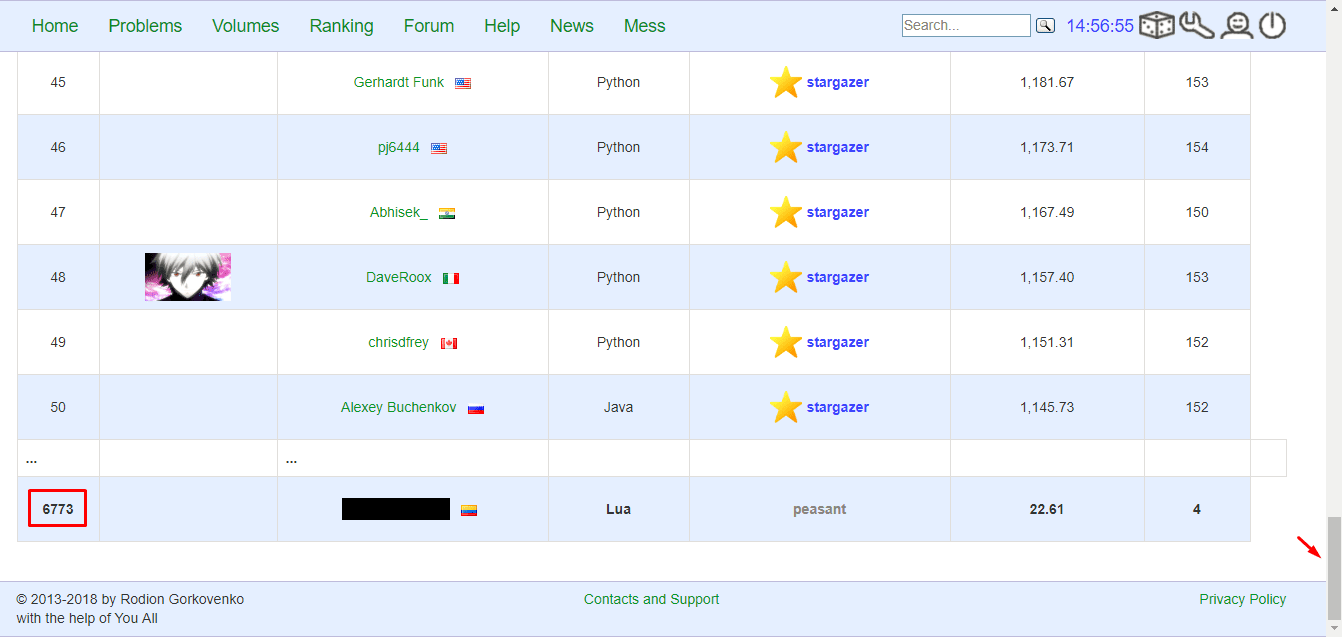
World ranking.
Open the "Ranking" tab on CodeAbbey.
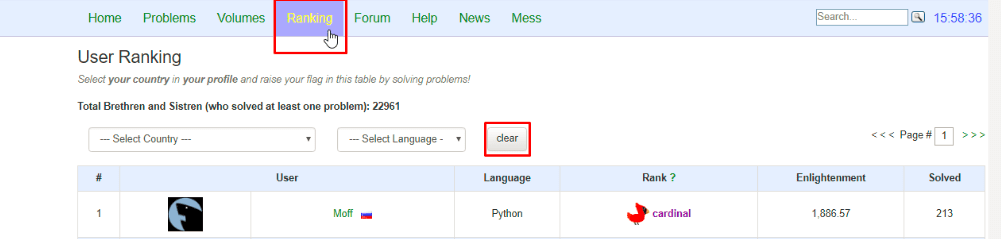
Go to the bottom of the page. Your position in the world ranking is there.
-
National ranking.
In the same "Ranking" tab, select your country.
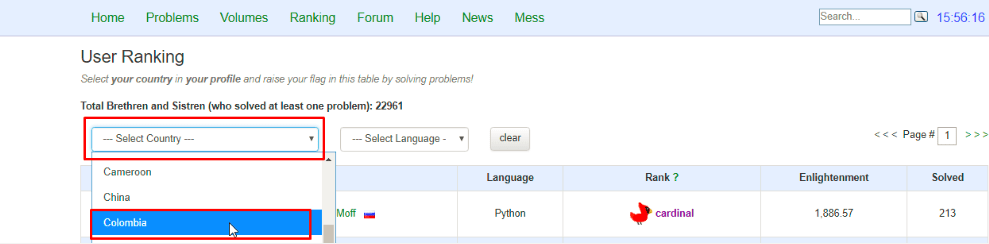
The page does not show your position. Thus you must find it. Do these three steps:
- Open each page of the list, and find your user name with
CTRL + F. - Count the row of your user name, from the top of the page.
- Calculate
50 * (page - 1) + rows.
In this formula:
50is the quantity of users on one page.pageis the number of the page that shows your user name. The formula subtracts 1, because it counts only the full pages before your page.rowsis the row of your user name from step 2.
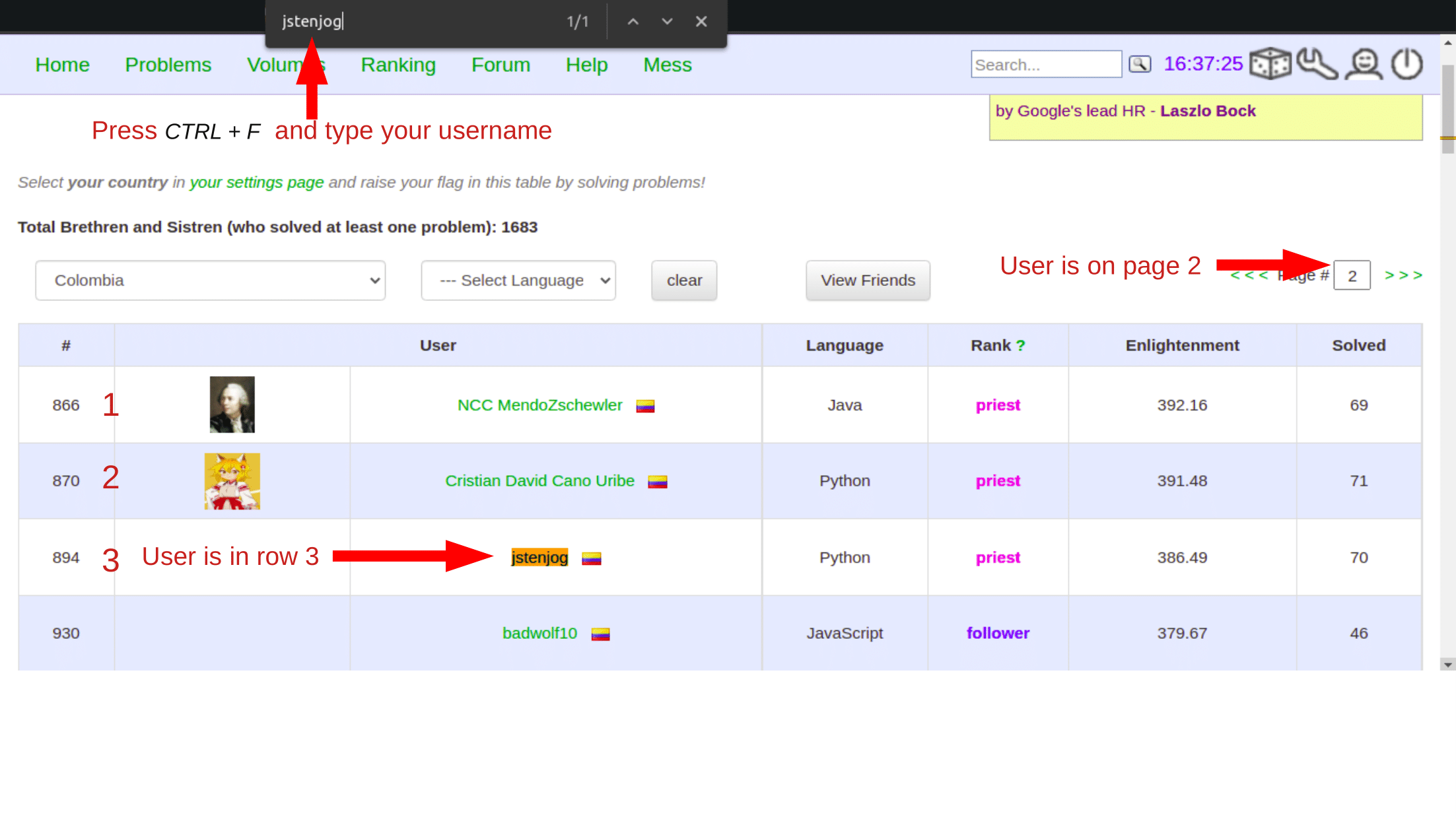
The national rank in the example above is
50 * (2 - 1) + 3 = 53. - Open each page of the list, and find your user name with
1.2 SPOJ
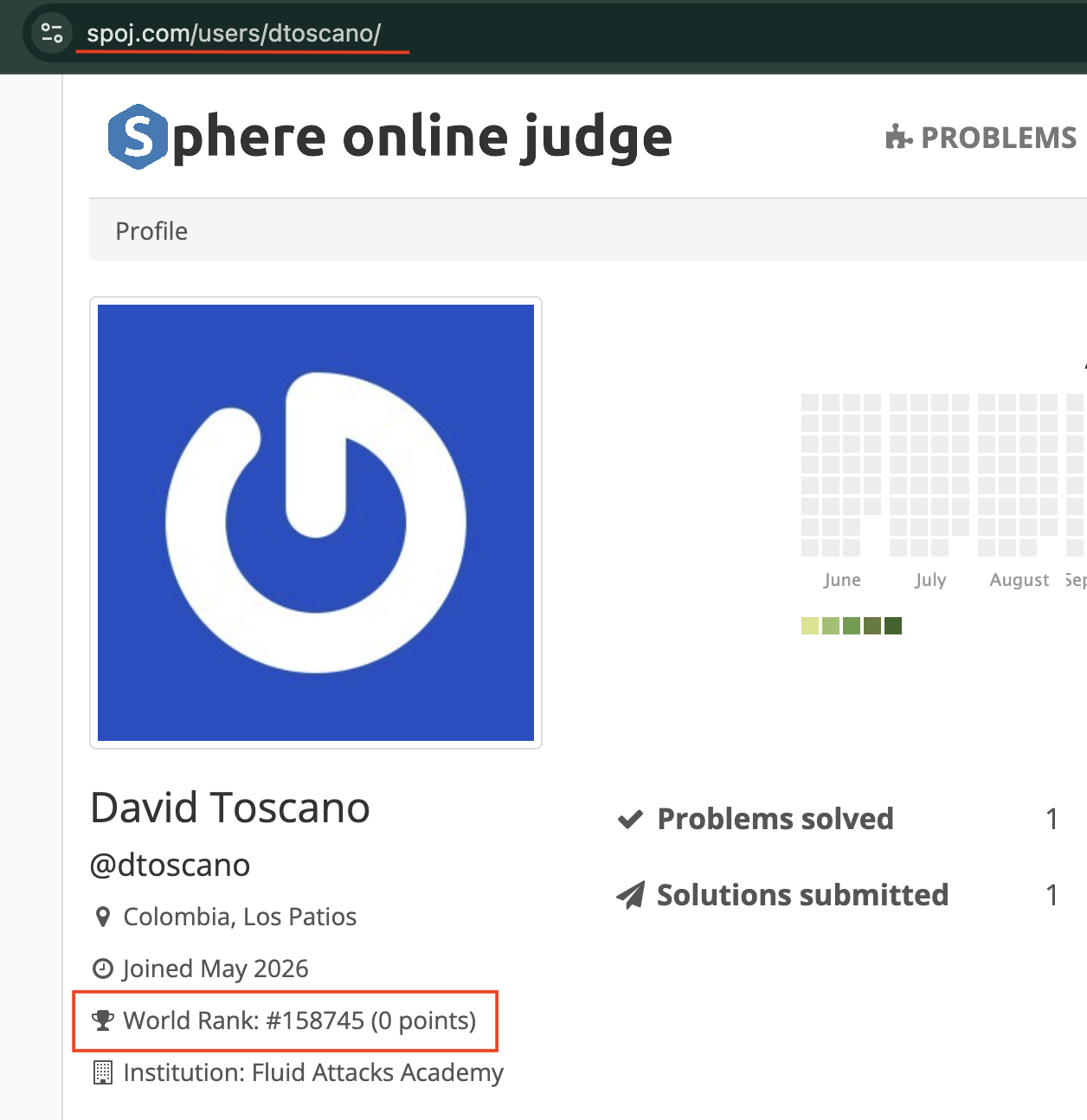
For SPOJ (www.spoj.com), read the values on your user profile at the moment that you solve a problem.
-
Total score.
- Open your SPOJ profile:
https://www.spoj.com/users/<your-spoj-username>/. - The total score is next to your user name. Read this value immediately
before you solve a problem (
score.initial), and again after SPOJ gives you the points (score.final).score.progressisfinal - initial. - SPOJ calculates the score of a problem with the formula
80 / (40 + N), whereNis the quantity of solvers. The value is thus dynamic: it becomes smaller as more people solve the problem. Write the value that you saw at the moment of the solution, and do not change it later. A later change on SPOJ is correct and expected. - A problem with a high
Nis different. An example isTEST, the introductory problem of SPOJ, with more than 200,000 solvers. Its score is smaller than0.001, and it becomes0.000at the standard precision of 3 decimals. In that condition, writecomplexity: 0.000and the same value inscore.progress. The CI accepts these values. The progression view on your profile shows no jump for that solution. This is the correct record, because the platform gave you almost no points.
- Open your SPOJ profile:
-
World ranking (
global-rank.initialandglobal-rank.final).- The account page
https://www.spoj.com/myaccount/is the fastest source. It showsWorld Rank: #<position> (<points>). - Read this value before you send the solution (
initial), and again after SPOJ gives you the points (final).
- The account page
-
National ranking (
national-rank.initialandnational-rank.final).-
Open the ranking of your country. The address for Colombia is
https://www.spoj.com/ranks/users/CO. -
If your user name is in that list, read your position there.
-
Your user name is not always in that list. SPOJ then gives no position for you. In that condition, write
0in the three sub-fields:national-rank: initial: 0 final: 0 progress: 0The CI accepts these values, because the validator permits
0and the arithmeticinitial - final == progressis correct. Do not invent a position:0/0/0is the honest record. Write your true position when you get one in a later solution.
-
2. ctf-hacking
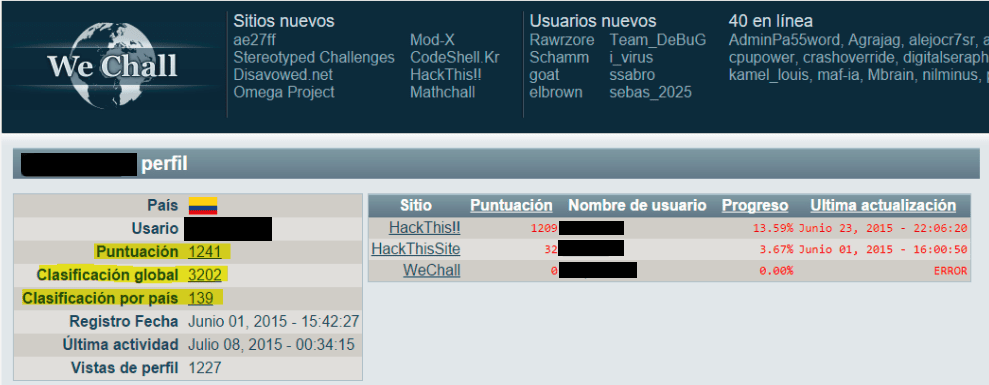
Read your total score and your ranking on your profile page of the platform. The image below shows these two values.
3. vbd-hacking
A vbd-hacking solution has no score and no ranking. Its YAML file records the counts of the vulnerabilities instead. VbD template gives those fields.