Languages
The programming languages that the CI accepts for a solution, the languages that it rejects, and how to install one with Nix.
Supported languages
Fluid Attacks accepts a programming solution only in a supported language. The
file
lang-data-supported.yml
gives all of them. Each entry has the name of the language, its official page
and its file extensions.
The CI reads the extension of your solution file and finds it in that file. If
the extension is not there, the test-policy job stops with an error. Your
merge request cannot merge.
The
language ranking shows
the same languages, and the quantity of solutions in each one. To get
unique solutions, select a language that few talents use.
Your policy sometimes gives you a specific language. That language must also be in the supported file. Policy explains how to read your policy.
Languages that Fluid Attacks removed
Fluid Attacks removed some languages from the program. The file
lang-data-dropped.yml
gives them, and it gives the reason for each one. The
unsupported languages
page shows the same list. Do not send a solution in one of these languages.
NOTE: Your language is sometimes in neither file. Make a work item (issue) to ask for it. Rules gives the channels.
Installation
Nix supplies the package of each language that the CI supports. Nix thus makes the installation of a language easy.
To install a language, do these three steps:
- Install Nix. Local builds gives the procedure for each operating system.
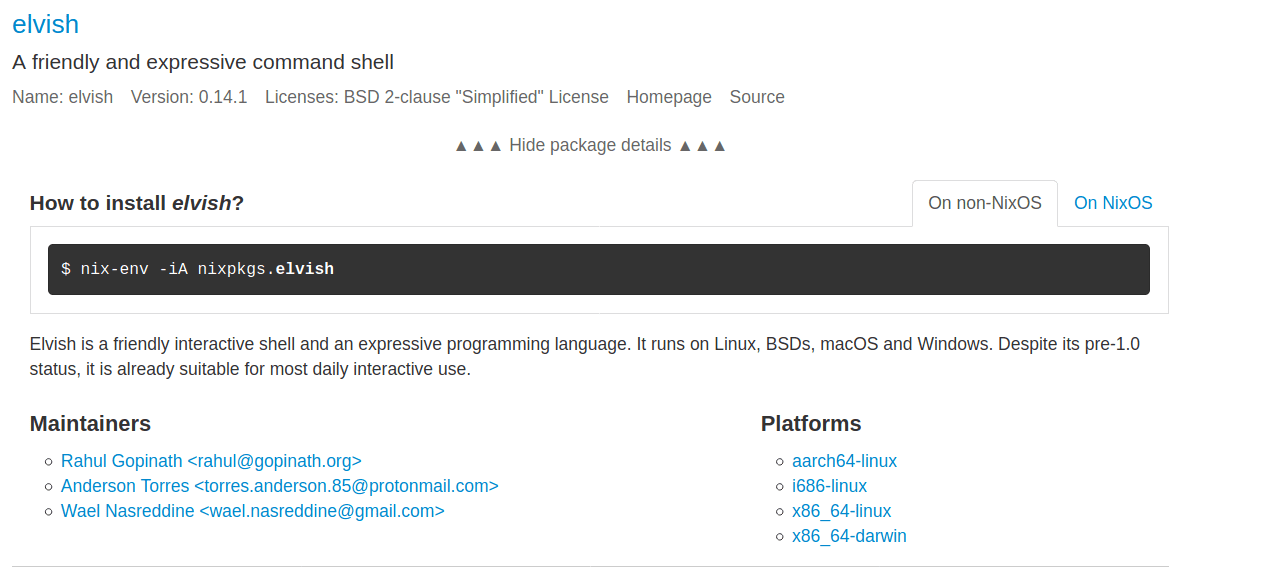
- Find the package of the language on NixOS Search.
- Run the command that the page of the package gives you. The image below shows where that page gives the command.